
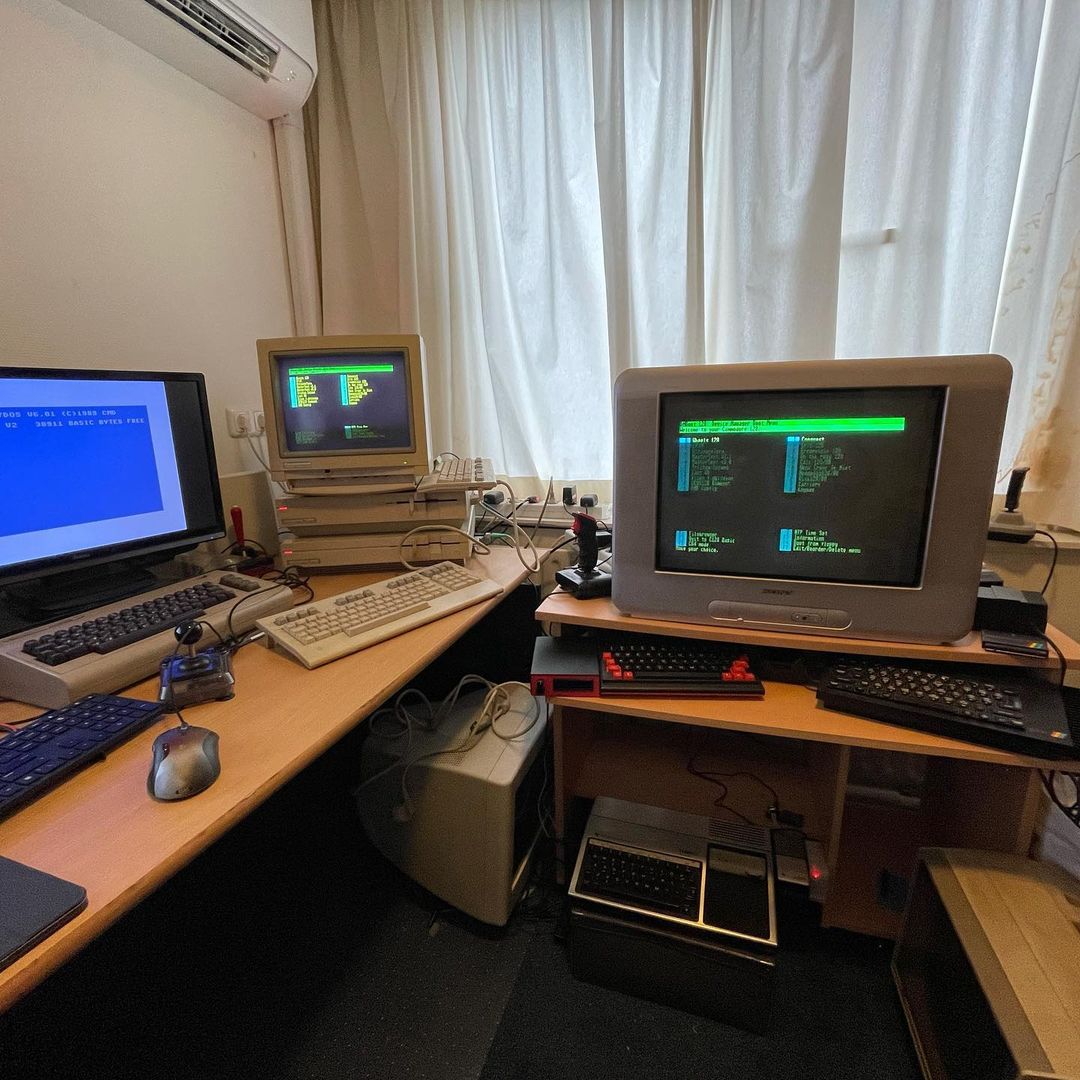
If you spend any time in the modern Commodore 64 scene, you already know that Gideon Zweijtzer’s Ultimate II+ (and the newer Ultimate II+L) is practically mandatory equipment. It's the gold standard for cycle-exact floppy drive emulation, cartridge emulation, and memory expansion. But what if your daily driver is the C64’s bigger, more complex sibling—the Commodore 128?
More specifically, what if you are running a Commodore 128D or DCR with that heavy, integrated 1571 floppy drive clunking away inside the case? Is the Ultimate II+ still worth the hefty price of admission?
The short answer is a resounding yes. Over the years, massive effort has been poured into the Ultimate II+ firmware by Gideon and the community to ensure it isn’t just "compatible" with the C128, but actually elevates it with incredible C128-exclusive features. However, getting it to play perfectly within the native C128 environment—especially when dealing with the VDC 80-column display and internal drive conflicts—requires a bit of specialized knowledge, some clever custom ROMs, and a handful of dedicated tools.
In this comprehensive guide, we are going to dive deep into exactly why the Ultimate II+ supercharges the C128, the technical hurdles you will face, and the specific software solutions (including some of my own projects) that seamlessly bridge the gap.
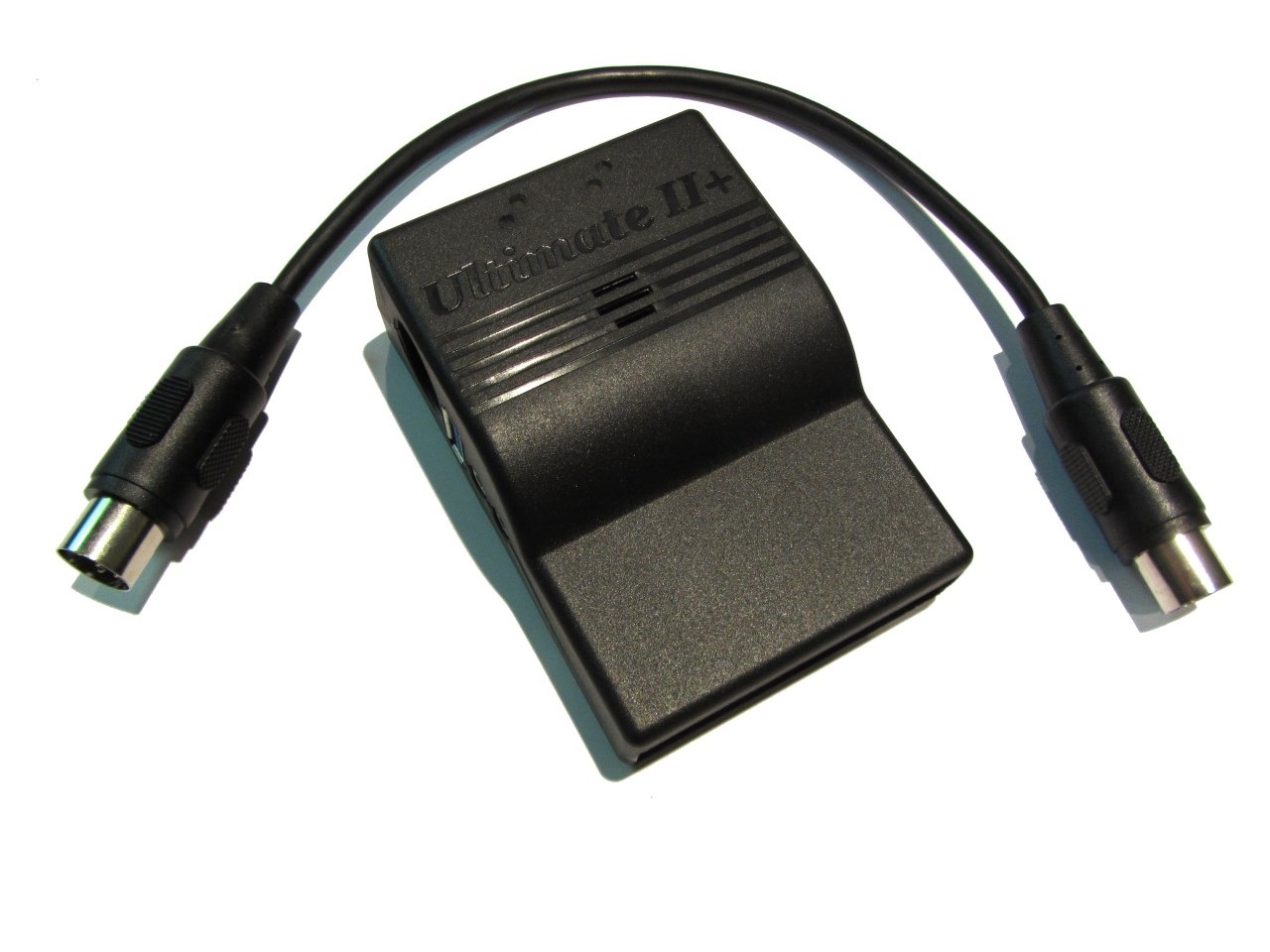
UII+ Superpowers
While the Ultimate II+ line started its lineage as a C64 device, the level of dedicated C128 engineering under the hood is staggering. Here is what it brings natively to 128 mode:
- True 1571 and 1581 Emulation with Burst Mode: The C128 introduced a high-speed serial bus known as "burst mode" for hardware-level fast loading. The UII+ flawlessly emulates both the 1571 and the 1581 disk drives, fully supporting this native burst mode. You get authentic, blazing-fast disk access without needing any external fastload cartridges.
- Massive RAM Expansion Unit (REU) Emulation: Finding a working, original Commodore 1750 REU today is both difficult and expensive. The UII+ flawlessly emulates an REU up to 16MB. For the C128, which relies heavily on expanded memory for advanced operating systems like GEOS 128 and CP/M, this is an absolute game-changer.
- C128 Cartridge & External Function ROM Support: The UII+ supports native C128 mode cartridges and ROMs right from your USB stick into the cartridge's memory. This means you can instantly load up powerful C128-specific tools like the Commodore 128 Device Manager ROM, BASIC 8, or Servant128 without ever needing to burn a physical EEPROM or open your machine's case.
- Ultimate Command Interface & Fast Networking: The UII+ network interface isn't restricted to C64 software. Native C128 programs can interface directly with the Ultimate command interface API to manipulate files, mount disk images, and access network resources.
Quirks and Fixes
Despite the fantastic feature set, integrating a device meant for the C64 into the dual-CPU, dual-video-chip architecture of the C128 leads to some rough edges.
The "Alternate Kernal" Limitation
If you go into the UII+ menus and try to use the "Alternate Kernal" setting while in C128 mode, you will likely crash your system. This setting is designed to override the C64's KERNAL ROM, but the C128 handles memory mapping and OS loading entirely differently. If you attempt to boot a custom C64 KERNAL this way, you will find 128 mode completely inaccessible.
Critical Cartridge Timing Adjustments
According to the official Ultimate II+ documentation on cartridge timing, the Commodore 128 (and particularly the 128DCR) has slightly different bus timing tolerances than a standard breadbin C64.
If you experience system instability, or if external C128 function ROMs and complex demos refuse to boot, you need to adjust the 'Address valid after phi2' setting in the C64 and cartridge settings menu.
- A value of '80' is the recommended starting point.
- For 128DCR models, you may need to bump this up to '96' or even '128' to achieve rock-solid stability. If set too high or too low, software will either fail to start or crash mid-execution.
Additionally, be aware that using the native "Run" or "Load" commands from the UII+ file browser will always drop the computer into C64 mode. To load native C128 software, you need to mount the disk image and load it manually from the BASIC 7.0 prompt (e.g., 'DLOAD"*"', then 'RUN').
The 128D Drive Conflict
If you own a standard, flat C128, you can simply unplug your physical disk drive. But if you own a Commodore 128D or DCR, you have a 1571 drive physically wired into the internal IEC bus. This presents a massive, frustrating problem when trying to use virtual drives on the Ultimate II+.
The Hardware ATN Collision
To understand the problem, we have to look at how Commodore drives communicate. As Bart van Leeuwen brilliantly explains in his Drive Mute publication, many modern scene demos and custom disk fastloaders achieve their blazing speeds by taking over the IEC serial bus. Instead of using the standard clock signaling, they hijack the 'ATN' (Attention) line to transmit data.
However, the Commodore IEC bus is designed as a logical OR circuit. Every drive connected to the bus features a hardware XOR gate that watches the 'ATN' line. The moment the computer asserts the 'ATN' line, every drive on the bus automatically responds by clamping the 'DATA' line true to acknowledge the signal.
When a modern fastloader tries to use the 'ATN' line to send data rapidly from your virtual UII+ drive, the internal 1571 drive blindly reacts, holding the 'DATA' line true. This completely corrupts the high-speed data stream, causing the fastloader to fail and the computer to freeze.
The Elegant Fix: Drive Muting
You could open your 128D and wire in a physical toggle switch to cut the power or IEC lines to the internal 1571, but drilling holes in classic hardware is frowned upon by many collectors.
The software solution is called Drive Muting, a concept originally pioneered by Krill. Because the drive's ATN response is partially managed by an internal register (the 'ATNA' line) controlled by the drive's CPU, we can send a tiny snippet of code directly to the internal 1571's RAM. This code disables the drive's internal interrupts, constantly watches the 'ATN' line in a tight loop, and immediately clears the 'ATNA' register whenever the 'ATN' line is triggered.
The result? The internal physical drive releases the 'DATA' line so fast that it no longer interferes with the custom fastloader on the virtual drive.
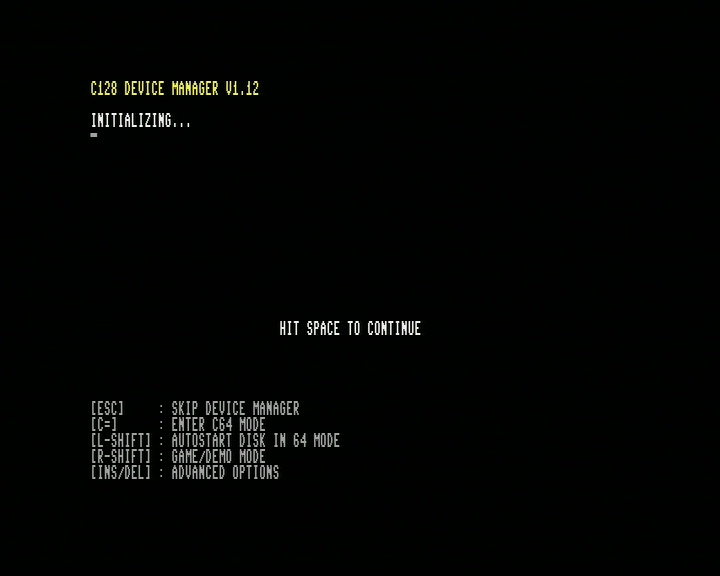 (The Commodore 128 Device Manager startup screen. Image from Bart's Place)
To implement this effortlessly, you need Bart van Leeuwen’s Commodore 128 Device Manager ROM. When loaded into the UII+ as an external function ROM, it intercepts the C128 boot process. It automatically detects ID conflicts between your physical 1571 and your virtual UII+ drives. It then gives you a menu to dynamically mute the conflicting physical drive, or push it to a different device ID on the fly. It completely eliminates the 128D hardware conflict without a soldering iron.
80-Column Interface
The Ultimate II+ is famous for its gorgeous, built-in menu overlay that pops up when you press the middle button on the cartridge. However, this hardware overlay only intercepts and overrides the signals of the C64's VIC-II video chip.
The Commodore 128 features a second, entirely separate video chip: the 8563 (or 8568) VDC, which handles the crisp, RGBI 80-column display used for serious applications like CP/M, GEOS, and programming. The UII+ knows absolutely nothing about the VDC chip. If you press the menu button while working on your 80-column monitor, the screen will just sit there, seemingly frozen. You are flying completely blind.
If you are a serious C128 user, you spend a lot of time in 80-column mode. Having to constantly switch your monitor back to 40 columns just to change a disk image is maddening. Fortunately, there are several ways to overcome this natively.
1. The Device Manager ROM Native File Browser
Before diving into external network solutions or third-party menus, it is highly worth noting that Bart van Leeuwen's Device Manager ROM includes its own integrated boot manager and file browser. It leverages the Ultimate command interface API to let you navigate your USB storage and boot executables seamlessly from within the C128 environment. To see this file browser in action—and for excellent deep dives into C128 development and UII+ features—you should absolutely check out Bart's own C128 Stuff YouTube Channel.
2. Telnet Remote Control, The REST API, and GUI Managers
The UII+ runs a Telnet server on its network interface. If you have the cartridge connected to your LAN, you can use a modern PC to telnet into the cartridge and access a text-based version of the configuration and file browsing menus. (Note: You cannot use a local terminal program on the C128 to telnet into its own cartridge, as the UII+ does not support local loopback.)
For highly technical users, the Ultimate II+ features a robust REST API. You can write scripts on your modern PC or Mac to remotely mount disks, trigger system RESETS, or inject files directly into the C128's memory without touching the keyboard.
For the less technical users, several excellent third-party GUI applications leverage this API for you. PC-based apps like Assembly64 or Ultimate64 Manager provide easy, visual access to the file system and settings. There is even a mobile app, Ultimate Remote (available for iOS and Android), that lets you control the cartridge right from your smartphone.
3. External USB Keyboards
Because the Ultimate II+ menu natively overrides the 40-column screen, navigating it can feel clunky if your C128 keyboard is occupied with a heavy background process. The Ultimate II+ supports plugging a modern USB keyboard directly into the cartridge to navigate the file browser, menus, and configurations completely independently of the Commodore's own input matrix.
4. DMBoot: A Native Dual-Screen Solution
Building upon the robust API provided by Bart's Device Manager ROM, I developed DMBoot (available on my GitHub). DMBoot is a native C128 boot menu program that talks directly to the UII+ via its command interface.
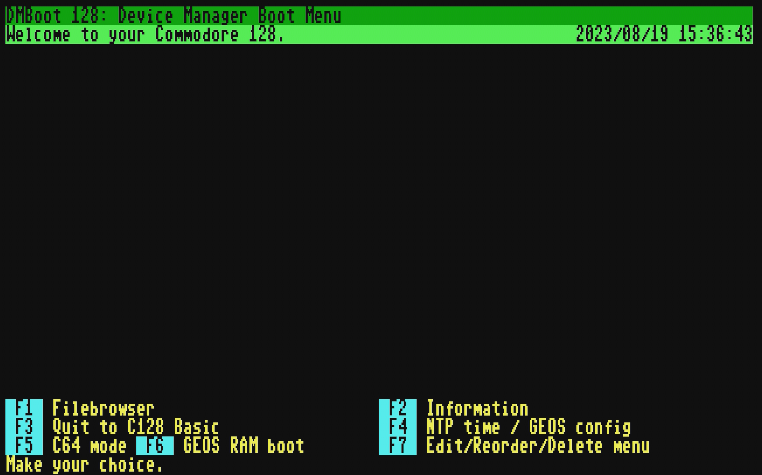 (DMBoot running natively on the C128. Image from DMBoot GitHub Repository)
Crucially, DMBoot is programmed to detect which video mode the C128 is currently using and output its interface natively to either the 40-column VIC-II screen or the 80-column VDC screen. It allows you to browse your UII+ USB stick, mount '.D64' or '.D81' images, and boot software entirely from the C128 keyboard. (For demonstrations of DMBoot in action, be sure to check out the IDreamtIn8Bits YouTube Channel)
Modems, Audio and RTC
While drive emulation is the main draw, the Ultimate II+ completely modernizes the C128's peripheral stack, giving productivity users tools that would have cost thousands of dollars in the 1980s.
Modem Emulation (ACIA 6551) for 80-Column BBSing
The C128's VDC 80-column display was practically made for telecom. The Ultimate II+ features built-in modem emulation via its Ethernet port (or Wi-Fi on the II+L). By emulating a standard ACIA 6551 / SwiftLink cartridge, you can use native C128 and CP/M terminal programs (like DesTerm or CCGMS) to seamlessly dial out to modern Telnet BBSes over the internet.
Native UCI Networking & UltimateTerm
Beyond emulating classic modems, you can also use the native Ultimate Command Interface (UCI) for networking. Using dedicated software like UltimateTerm, you can access Telnet BBSes directly through the UCI, bypassing traditional serial emulation entirely. If you are a developer looking to build your own network-aware C128 applications, the Ultimate II+ DOS Library by xlar54 provides fantastic, open-source building blocks for interacting with the UCI.
Virtual Printer Emulation
For C128 users running GEOS or CP/M, the Ultimate II+ can emulate a Commodore printer on the IEC bus. When you "print" a document from your retro word processor, the cartridge intercepts the data and saves it directly as a file to your USB stick. It is a massive quality-of-life upgrade that lets you effortlessly export text and graphics.
Real-Time Clock (RTC) Integration
The cartridge features a battery-backed Real-Time Clock. To bridge this with the native C128 OS, I built RTC syncing directly into my own software utilities. When booting via DMBoot, or when launching GEOS and CP/M via GeoUTools and CPMUTools respectively, the software automatically polls the Ultimate II+'s RTC and instantly syncs it to the C128’s internal Time-of-Day clock. This means your GEOS desktop and CP/M file timestamps are always perfectly accurate without manual entry!
Stereo SID Audio & Amiga MOD Emulation
The UII+ brings pristine, configurable stereo SID emulation (supporting both 6581 and 8580 models). This allows you to route incredibly clean digital/analog audio directly from the cartridge, completely bypassing the noisy video/audio circuitry of the 128's aging motherboard. As an incredible bonus, utilizing the Ultimate Audio module, you can even play 4-channel Amiga ProTracker MOD files directly on your C128!
CP/M on the C128
The Commodore 128 included a dedicated Z80 processor specifically to run CP/M, opening the door to thousands of business applications. However, standard CP/M on the C128 is notoriously sluggish due to disk I/O bottlenecks. The Ultimate II+ fundamentally changes this equation, transforming the C128 into one of the most capable 8-bit CP/M machines ever made.
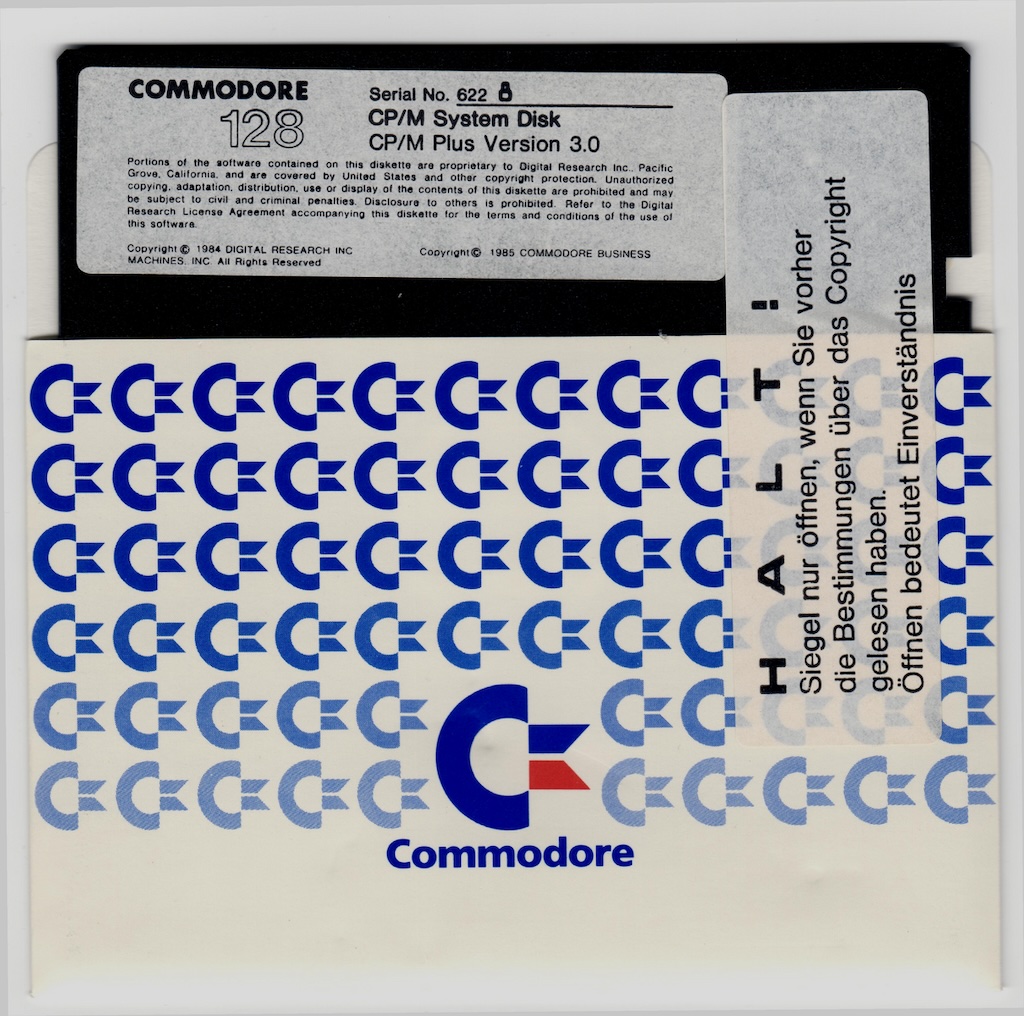 (CP/M running on the Commodore 128. Image via Celso.io)
MFM Emulation and Hardware Burst Mode
One of the most powerful features of the Ultimate II+ in 128 mode is its precise, hardware-level 1571 drive emulation. This emulation goes far beyond simple disk imaging—it includes full support for MFM (Modified Frequency Modulation) and the C128's native serial Burst Mode.
Standard Commodore disks use GCR encoding, but standard PC, Osborne, and Kaypro CP/M disks used MFM. Because the UII+ fully emulates the 1571's MFM capabilities, you can mount virtual images of alien CP/M formats and read them directly, and rapidly, on your C128. You can read more about the intricacies of the C128 CP/M environment in Celso's excellent deep dive on C128 CP/M.
REU Booting and ZPM3
Even better, by utilizing custom CP/M environments like ZPM3—specifically the versions adapted for UII+ compatibility discussed on the C-128 FreeForums—you can unlock direct disk commands and REU Booting.
By staging your CP/M environment inside the UII+'s 16MB emulated REU and saving it as an '.REU' image file, you can bypass the floppy boot process entirely. DMBoot can inject this image directly into memory via DMA in under a second. You transform the C128 from a sluggish disk-bound system into a lightning-fast Z80 workstation.
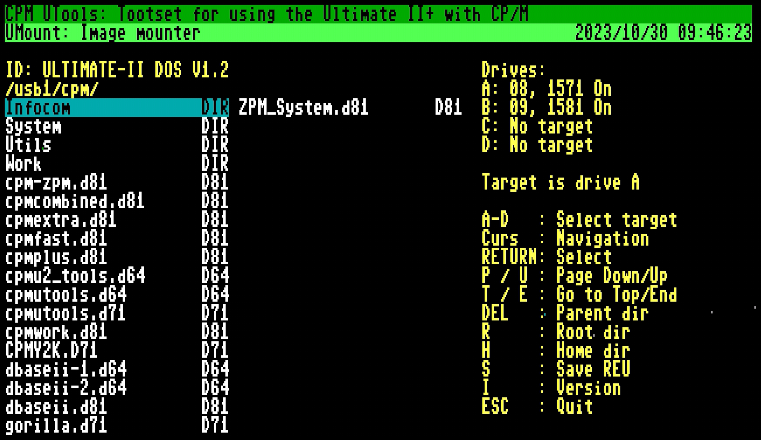 (CPMUTools. Image from CPMUTools GitHub Repository)
Add in my CPMUTools suite, and you can mount and unmount virtual disks straight from the CP/M command line, bypassing the hardware menu completely. You'll find videos highlighting these workflows on my YouTube channel.
GEOS 128
GEOS 128 is a fantastic graphical user interface, but its true potential is only unlocked when paired with a large RAM Expansion Unit. The UII+ provides up to 16MB of REU space, which is more than enough to hold the OS, productivity applications, and multiple lightning-fast RAM disks.
Instant Gratification: GEOS RAM Booting
One of the most impressive features of Bart's Device Manager ROM, which I fully integrated into DMBoot, is the GEOS RAM Boot. By pointing DMBoot to an '.REU' file preloaded with the standard GEOS 128 environment, the C128 bypasses traditional floppy boot times entirely, injecting the OS directly into memory via DMA. You go from powering on the machine to sitting at a fully loaded GEOS desktop in mere seconds! Check out the videos on my YouTube channel to see this instantaneous RAM boot in action.
MegaPatch 3 and The Workaround
If you want the ultimate productivity experience, you will eventually want to upgrade to the C128 version of MegaPatch 3 (read the official English documentation here). MegaPatch overhauls the GEOS architecture, adding robust support for massive REUs, external network devices, and modern input methods, essentially turning GEOS into a truly modern-feeling retro OS.
Alas, directly RAM-booting the MegaPatch environment from an REU image is currently not supported. But don't let that discourage you, because the UII+ provides a fantastic workaround.
Because the cartridge flawlessly emulates the 1581 drive's native hardware burst mode, booting MegaPatch from a virtual '.D81' disk image is still incredibly fast. To make the system truly fly, you can combine this fast burst-mode boot with REU preloading. By configuring the UII+ to load an '.REU' file containing your pre-installed RAM drives just before booting the '.D81', your system boots rapidly and immediately has access to lightning-fast RAM disks, giving you the absolute best of both worlds.
 (GEOS Configure Tool. Image via Commodore.software)
Configure 2.1.1 and GeoUTools
Configuring these advanced virtual devices requires the right tools. The updated Configure 2.1.1 Release 3 utility is essential for accurately assigning your UII+ virtual drives and REU partitions within the GEOS environment.
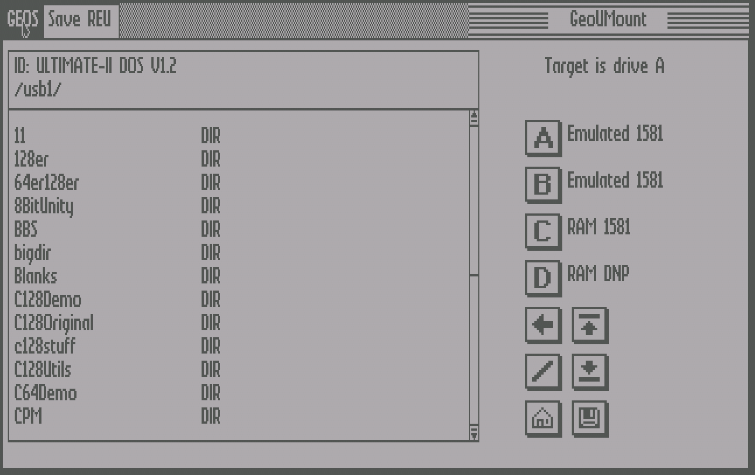 (GeoUTools. Image from GeoUTools GitHub Repository)
Once your desktop is set up, you can use my native GEOS suite, GeoUTools, to interact with the UII+ directly from the GUI. The 'GeoUMount' applet lets you browse your USB filesystem and swap virtual disk images via a graphical dialogue box, ensuring you never have to leave the 80-column GEOS desktop to change a floppy.
Watch it in action! For a deep dive into how GeoUTools works under the hood, check out my video series, especially C128: Developing for GEOS128 - GeoUTools - part 2, available on the IDreamtIn8Bits YouTube Channel.
Hyperspeed Loading
If you prefer staying in the native BASIC 7.0 environment, the combination of the UII+ (firmware v3.9 or higher) and Bart's Device Manager ROM unlocks something truly special: Hyperspeed Loading.
The Device Manager ROM implements a custom high-speed USB filesystem access protocol utilizing the Ultimate's SoftIEC drive feature. By default, this protocol overlaps with the standard software IEC device ID (usually device 8 or 9).
When you execute a standard load command (like 'DLOAD"MYPROGRAM"'), the Device Manager ROM intercepts the KERNAL vectors. Instead of trickling the data sequentially over the serial IEC bus, the ROM requests the file directly from the UII+ via the cartridge port, dumping it straight into the C128's RAM at warp speed.
The brilliance of this overlap design is compatibility. If you run a piece of software or a game that aggressively takes over the system and overwrites the custom I/O vectors, the system simply "forgets" how to do the Hyperspeed transfer. It gracefully falls back to talking to the UII+ virtual drive via the standard IEC bus. You lose the warp speed, but the software still loads and functions perfectly.
Conclusion
The Ultimate II+ is unequivocally the definitive expansion cartridge for the Commodore 128. Out of the box, it behaves very much like a C64-centric device, and C128 users—especially those with 128D models and 80-column monitors—will hit some frustrating roadblocks.
However, once you understand the configuration requirements, utilize Bart van Leeuwen’s Commodore 128 Device Manager ROM to mute hardware conflicts and enable Hyperspeed, and leverage dedicated 80-column tools like DMBoot, GeoUTools, and CPMUTools, the friction completely disappears.
You are left with a retro workstation capable of booting heavy graphical operating systems in seconds, communicating over modern networks, and acting as the ultimate 8-bit powerhouse. If you own a C128, do yourself a favor: get an Ultimate II+ (or Ultimate II+L), install the tools, and experience the machine as it was truly meant to be used.
Sources
- Official Ultimate Resources:
- IDreamtIn8Bits Resources:
- IDreamtIn8Bits YouTube Channel
- DMBoot Repository - Native C128 Boot Menu for Ultimate II+
- GeoUTools Repository - Ultimate II+ utilities for GEOS 128
- CPMUTools Repository - Ultimate II+ utilities for CP/M on the C128
- Ultimate II+ Companion Apps & Libraries:
- Bart van Leeuwen's Publications & Channels:
- CP/M on the C128:
- GEOS 128 Upgrades: