
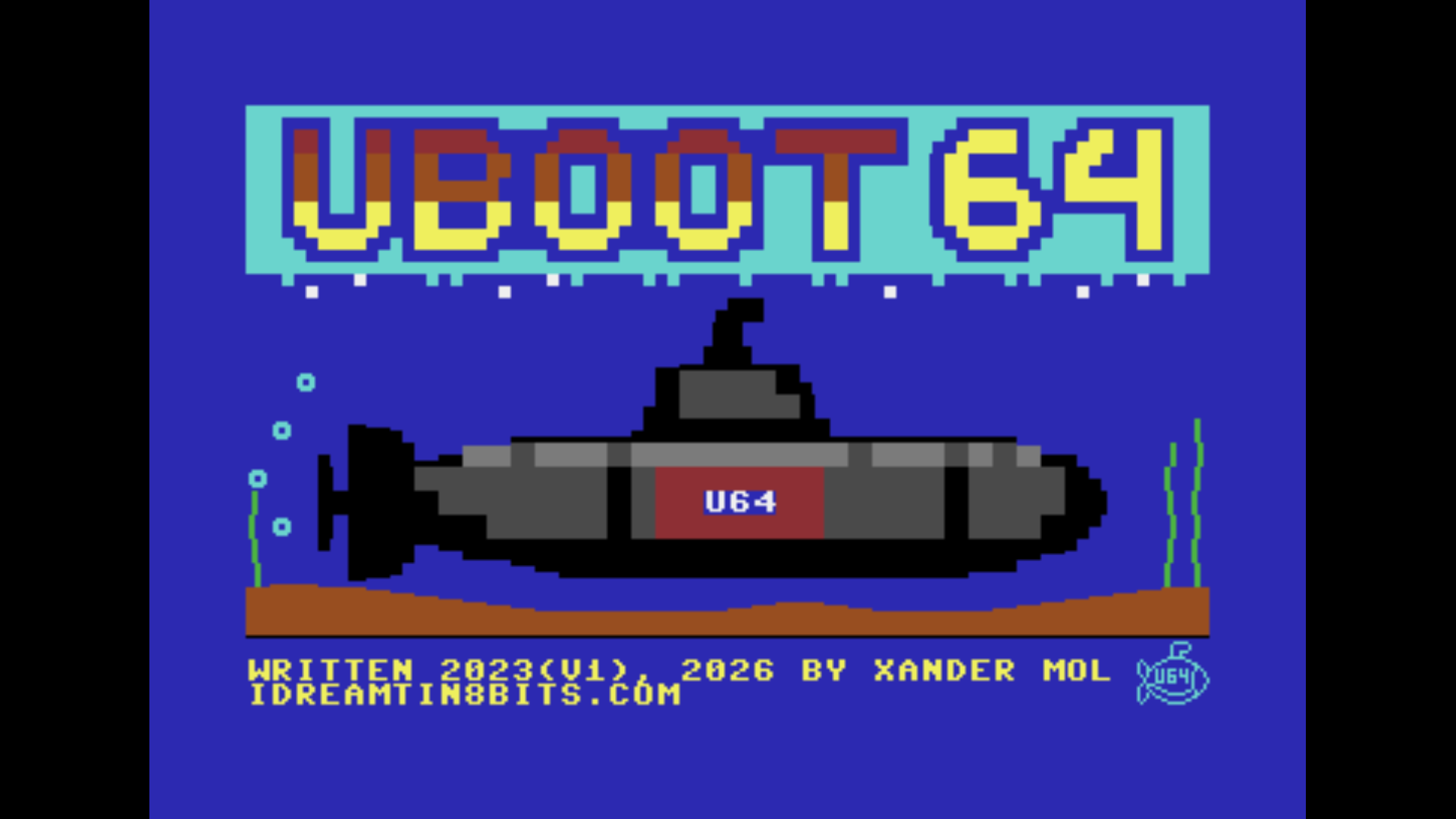
UBoot64 v2 is not an update -- it is a complete ground-up rewrite of the C64 Ultimate boot menu, swapping out the original cc65 toolchain for the Oscar64 C compiler by drmortalwombat. That single architectural decision cascades into a significantly more capable program: tighter code, better use of available hardware, and a feature set that the cc65 build simply did not have room for. If v1 was a proof of concept, v2 is the production version.
UBoot64 v2 is now at version 4.0.0. It applies the Ultimate settings files that belong to a program, starts loose program files from the Ultimate's own file system, and converts the files of every earlier version by itself; see the v4.0.0 sections below. Partition support, added in version 3.0.0, has its own post.

REU Directory Listings
The most consequential new feature is directory listing storage in REU memory. Previous versions of the file browser were constrained by the C64's 64KB main RAM -- with the OS, the program itself, and file system buffers all competing for the same address space, directory entries had to be kept short and the total listing size was tightly capped. In v2, the entire directory listing lives in the RAM Expansion Unit (a minimum of 128KB REU must be enabled in the UII+ cartridge settings).
The payoff is immediate: maximum filename length jumps to 50 characters and maximum pathname length reaches 255 characters. Large USB drives with deeply nested directories and long descriptive filenames are now fully navigable without any workarounds.
Configurable Colour Scheme
The configurable colour scheme is another major v2 addition. Pressing F5 then F6 opens a dedicated colour editor where each UI element -- background, foreground, highlights, status text -- can be adjusted independently using cursor keys, with the changes reflected live in the background. This is not cosmetic padding: retro hardware often lives on monitors with varying phosphor brightness and contrast characteristics, and being able to tune the palette to your specific CRT makes a real practical difference.
The verbose/silent startup toggle (F5 -> F2) further tailors the boot experience: verbose mode shows a detailed status readout while the cartridge initialises, while silent mode shows only a brief splash before presenting the menu.

File Browser
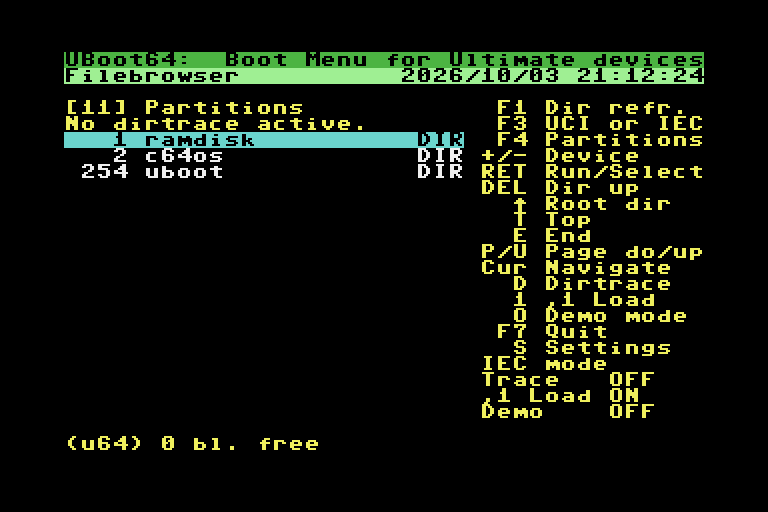
The v2 file browser retains the UCI/IEC dual-mode design from v1 but with the expanded filename and path support baked in throughout. UCI mode browses the UII+ USB filesystem natively, supports entering .D64, .G64, .D71, .G71, and .DNP disk images as pseudo-directories, and records the drive A disk image automatically when you select a program from within a mounted image. IEC mode reads CBM-format directories from physical or SoftIEC bus devices, showing file type labels (PRG, SEQ, DEL, REL, CBM, DIR) alongside each entry.
The directory trace mechanism (key D) records your navigation path from root so the complete path is stored in the slot -- without it, IEC mode can only launch programs in the root directory of a drive. Both modes display their status in a sidebar with toggle indicators for UCI/IEC, trace active/inactive, ,1 load, and demo mode.


NTP Synchronisation
As in v1, UBoot64 v2 synchronises the UII+ Real Time Clock from an NTP server at boot. The F5 configuration menu now groups NTP settings (F1 toggle, F3 UTC offset, F5 server hostname) alongside the new startup verbosity toggle and the colour scheme editor -- all in one place.
The UTC offset is entered in seconds, allowing precise configuration for any time zone including half-hour offsets. The default server is pool.ntp.org but any hostname or IP address can be substituted.
v4.0.0: Program Settings Files
Since firmware 3.15 the Ultimate's own file browser loads a settings file together with a program: game.cfg next to game.prg (or game.d64) switches on whatever the program needs, such as the turbo registers, a SID setting or the Command Interface. Programs started from a boot menu did not get that. Version 4.0.0 does the same at boot: it looks for <program or image>.cfg, else .usr, and has the Ultimate apply it before the program starts. A slot can also be given a settings file of its own (key S in the file browser, in UCI mode and on the Ultimate's SoftIEC drive), and an optional baseline file uboot64/uboot64.cfg is applied at every start, so settings changed by the previous program are set back. All of it can be switched off with C in the configuration screen.
A settings file made for several Ultimate models contains lines that do not apply to the machine at hand, for example a turbo setting with the value name of another model. The firmware applies the other lines and skips those; UBoot64 shows how many it skipped.

v4.0.0: Programs From the Ultimate's File System
Until now a loose .prg in UCI mode could not be put in a slot: the Command Interface has no command to load and run a program from a path. Version 4.0.0 reads the file into the REU instead, and at boot copies it from there into memory with an REU transfer, after the BASIC start. The copy runs from a small routine in the cassette buffer, with all memory switched to RAM, the way the Ultimate's own loader does it. Programs of up to 64 KB therefore work, including ones that fill memory up to the top: Mandelbrot Upic occupies $0801 to $FFAE and starts from a slot, with its settings file applied. A REU of at least 128 KB is needed, as before.
v4.0.0: Converting Old Files
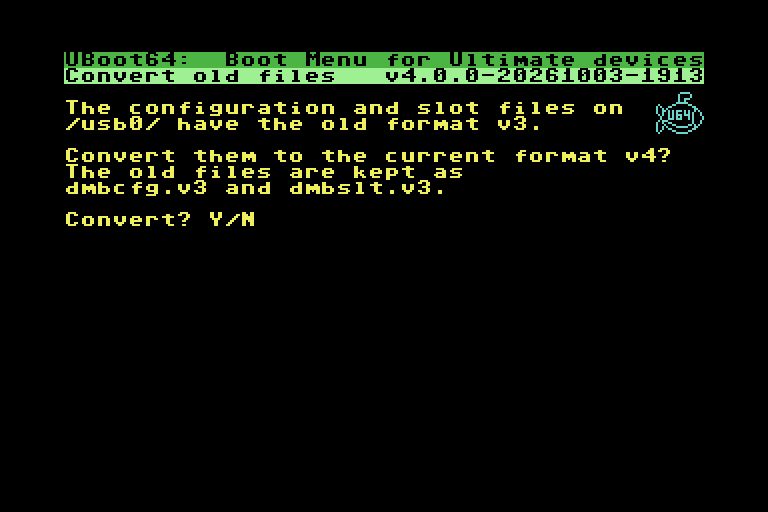
The slot format changed again for the per-slot settings file, hence the major version. The separate upgrade tools are no longer needed: at start-up, version 4.0.0 recognises configuration and slot files from v1, v2 and v3, asks before converting, keeps the old files as dmbcfg.v1 / dmbslt.v1 (or .v2, .v3), checks those copies, and only then writes the new files. A conversion that is interrupted is picked up again at the next start.
v4.0.0: Smaller Changes
- The configuration and slot files are found on any SD or USB device, from one listing of the Ultimate's root directory.
- F2 names the Ultimate model.
- The Command Interface code is now the separate library ultimate-uci-oscar64, shared with the other Ultimate projects. It includes a fix by Christian Gleissner for a hang at start-up: a command sent while the interface was still busy could leave it waiting indefinitely.
- Partitions: F4 lists them on the SoftIEC drive and on other drives that report partitions, such as an SD2IEC.
Tested on Real Hardware
Version 4.0.0 comes with an automated test suite that runs on real Ultimates over the network, modelled on the one Christian Gleissner wrote for Mandelbrot Upic: it starts the cartridge, presses keys through the menus, file browser, conversion, settings files and boot, reads the screen and compares it with stored reference screens, and puts the user's own configuration back afterwards. For this release it passed on an Ultimate 64 Elite II and an Ultimate 64 Elite, firmware 3.15a.
One limitation is known: programs started from UBoot64 get no Ultimate Audio. The firmware disables it for the cartridge type UBoot64 uses; this is listed under Known issues in the README.
Watch It In Action
Version 4.0.0 on an Ultimate 64 Elite and an Ultimate 64 Elite II, captured from the video stream: converting old files, building a GEOS slot in the file browser (two disk images, a 16 MB REU preload and the boot program), BluREU by Crest from a slot, partitions on the SoftIEC drive and on an SD2IEC with C64 OS, and Mandelbrot Upic started from a slot:
UBoot64 v4.0.0 - boot menu cartridge for the Ultimate 64 / Ultimate II+ (Commodore 64)
Upgrading
Replace the cartridge file with the one from the 4.0.0 release, also in the Files section of this site. At the first start, UBoot64 offers to convert the existing configuration and slot files, whatever version they come from. New installations create fresh files with an empty menu. Settings files need firmware 3.15 or newer; everything else works on older firmware as before.
The full source, the latest release and the README are at https://github.com/xahmol/UBoot64-v2.