
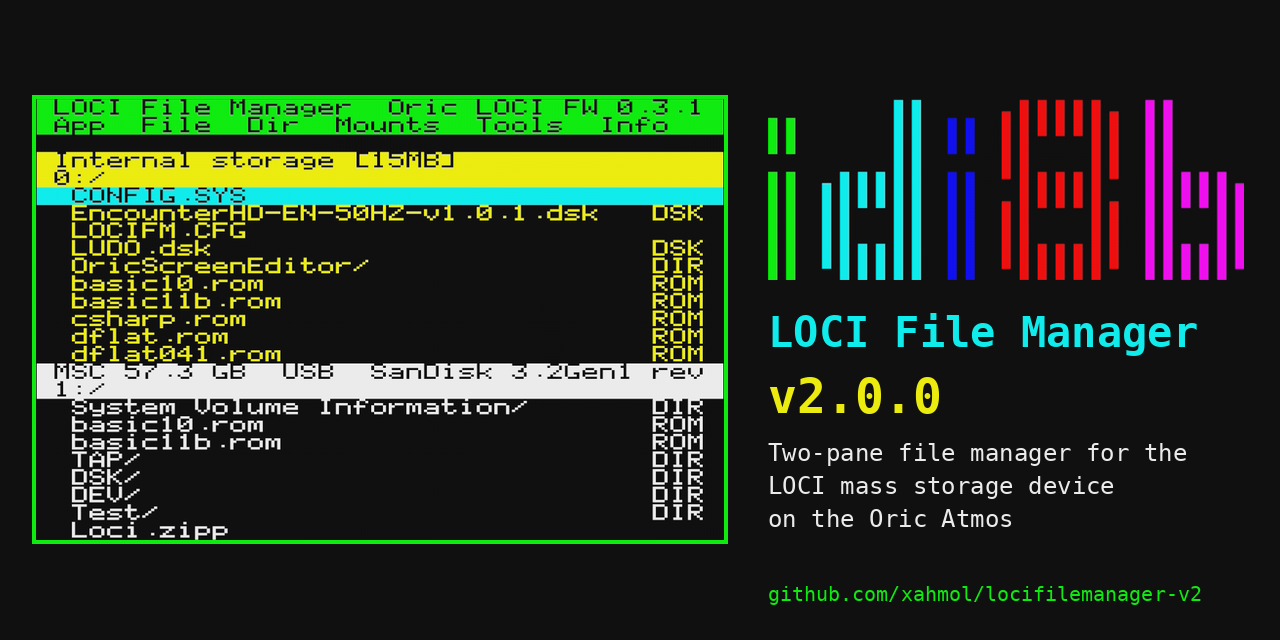
LOCI File Manager v2.0.0 is out: a full-screen, two-pane file manager for the LOCI mass storage device on the Oric Atmos. It is not an update to v1 -- it is a complete ground-up rewrite, and the most interesting part of that rewrite happened before a single file-management feature was touched: figuring out whether the target compiler could even produce a working Oric program at all.
Could Oscar64 target the Oric?
v1 locifilemanager was built with CC65, the long-established 6502 C compiler with built-in Oric support: a C library, a startup routine, and ROM-call wrappers for screen, keyboard and storage. It works, and it is still a fine choice for Oric projects today.
Oscar64 is a newer 6502 C cross-compiler, used in several of my C64 and C128 projects for its optimizing code generator and modern C feature set. It has no built-in Oric Atmos target, so on the face of it the answer should have been "no". But Oscar64 also supports a native, bare-metal compilation mode: no platform runtime is assumed, and the generated code talks to hardware directly through memory-mapped registers. That mode does not care which 6502 machine it ends up running on -- it only cares that something supplies a startup routine, a memory layout, and the math/runtime support functions the compiler expects.
In other words: the question was not "does Oscar64 support the Oric Atmos", but "can a from-scratch Oric runtime be written underneath Oscar64's bare-metal mode". The answer turned out to be yes, and that became the foundation for v2.
Building a runtime from scratch
The result is include/oric_crt.c and crt_math.c: a custom C runtime that replaces everything Oscar64 normally assumes about its target. It defines the Oric's memory map and program start address, sets up the text/hires screen state at boot, and implements the math support routines the compiler's generated code calls into. No CC65, no Oric ROM jump table -- screen, keyboard, sound and storage are all driven directly via memory-mapped registers, in both v1's CC65 build and v2's Oscar64 build, but now with Oscar64's code generator underneath.
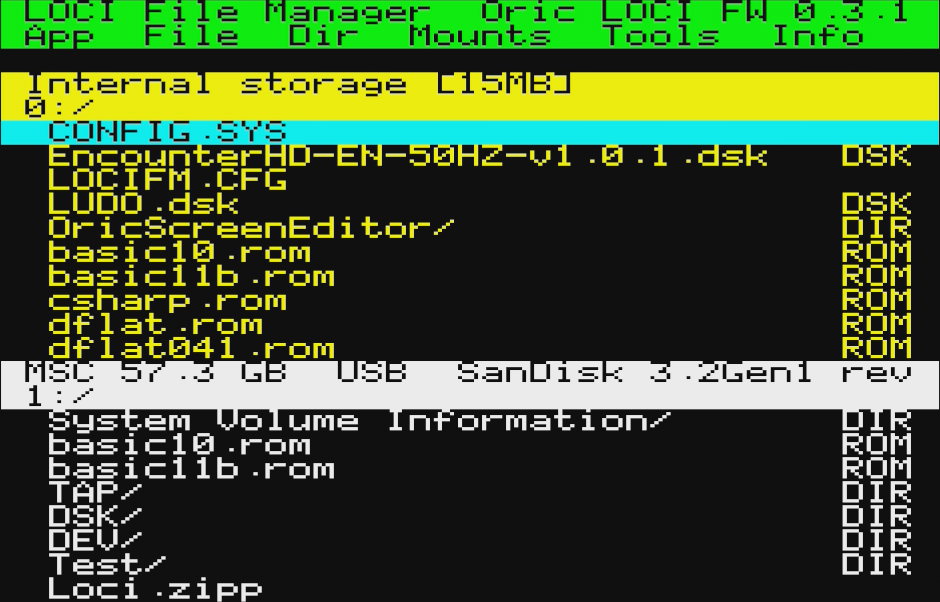
With the runtime in place and a basic program able to boot, draw to the screen and read the keyboard, the rest of v2 became a more conventional application-building exercise -- just with a growing set of reusable libraries underneath it.
New hardware-access libraries
On top of the runtime, v2 introduces a small stack of libraries that v1 did not have, all written against the same "no ROM calls" rule:
- charwin -- a character-mode window and menu library: pop-up windows, menus, text input fields and dialogs, all drawn directly into screen RAM.
- A direct VIA/AY keyboard scanner, reading the keyboard matrix through the 6522 VIA rather than going through ROM key-read routines.
- IJK joystick support, reading the Oric's joystick interface for menu and browser navigation.
- A new LOCI hardware API library covering the MIA command interface, tape (TAP) operations, XRAM transfers and overlay RAM, plus file, directory, mount and tape-image operations -- the layer that lets the file manager actually talk to LOCI's USB storage.
Each of these is a small, focused library rather than one large block of file-manager code, which made it possible to build and test them independently before the application that uses them existed.
libdemo: a library reference
That independent testing turned into its own program: libdemo, a charwin/keyboard/LOCI/IJK exerciser shipped alongside the file manager (in English and French, like the file manager itself). It walks through windows, menus, keyboard input, joystick handling and LOCI storage operations one at a time, and doubles as a working reference for anyone else writing LOCI-based software on Oscar64 -- a starting point that did not exist for v1.
New features in the file manager
With the runtime and libraries in place, the file-manager-specific work could start. Compared to v1, which supported single-file copy and delete/rename of empty directories, v2 adds:
- Recursive directory copy and move -- a full subtree, files and nested subdirectories, merging into an existing destination if one is present. This is driven by an iterative directory walker, recurse_walk(), deliberately written without recursion to stay within the Oric's roughly 512-byte stack budget (it supports a maximum nesting depth of 8).
- Recursive directory delete, with a prompt before removing a non-empty directory's contents.
- Mid-copy cancellation -- pressing ESC during a copy or move aborts immediately and removes the partial destination file.
- A wildcard filename filter, supporting the standard asterisk and question-mark wildcards (case-insensitive), alongside the existing file-type filter.
- A full-screen text viewer, word-wrapped and paged, with a hex-dump toggle for binary files.
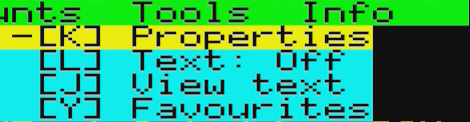
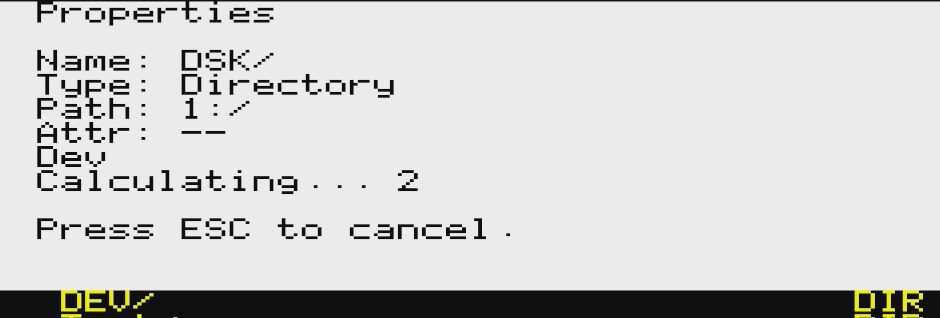
- A properties popup showing name, type, path, attributes and size, including a recursively calculated directory size (cancellable with ESC).
- Favourite directories -- up to 8 bookmarked paths, shared between both panes.
- The file manager now remembers where you left it: each pane's path, drive and the active pane are restored on the next launch.
All of this lives behind a new Tools menu, the sixth item on the menu bar.
Two languages, automated testing
Like v1, v2 is available in English and French, including libdemo. What is new is a headless automated test suite: 284 assertions across 11 scenarios, run against the Phosphoric Oric emulator. The suite drives the file manager through directory navigation, copy/move/delete (including the recursive and cancellation paths), filtering, the viewer, properties, favourites and the remembered-state feature, and checks the results without a real Oric on the desk. It does not replace testing on real LOCI hardware, but it catches regressions in the core logic before that hardware is needed.
v2.0.0 is available now
v2.0.0 is the first public release of LOCI File Manager v2, available in English and French:
- locifm.tap / locifm_fr.tap -- the file manager
- libdemo.tap / libdemo_fr.tap -- the charwin/keyboard/LOCI/IJK library demo
- Full documentation (README, including installation, keyboard commands and a command reference) in both languages
It requires an Oric Atmos with LOCI firmware 0.2.5 or later (0.3.0+ for directory creation) and a USB storage device attached. Load the tap file and type RUN -- see the README for full installation instructions. The project is licensed under GPLv3.