
Oric Screen Editor for LOCI (OSE-LOCI) is a character-set-aware screen editor for the Oric Atmos, rewritten from scratch in Oscar64 C. It is based on Oric Screen Editor V1 (CC65, 2022) and extends it with LOCI mass-storage support, canvas-edit undo/redo, and several new editing features. v1.0.0 is the first public release.
LOCI is required — and why
In V1, the canvas — the buffer holding everything the user draws — lived in main RAM alongside the program itself. That put a hard ceiling on canvas size and left the program in a constant fight for memory.
OSE-LOCI moves the canvas to overlay RAM: the region $C000–$FFFF that the Oric normally maps to ROM. When LOCI is present, it can bank in its own RAM over that region, making 16 KiB of additional memory available to software. OSE-LOCI uses the lower 10 KiB of that space ($C000–$E7FF) for the canvas and the upper 6 KiB ($E800–$FFFF) for undo/redo snapshots. The program enables overlay RAM once at startup and keeps it enabled for the entire session.
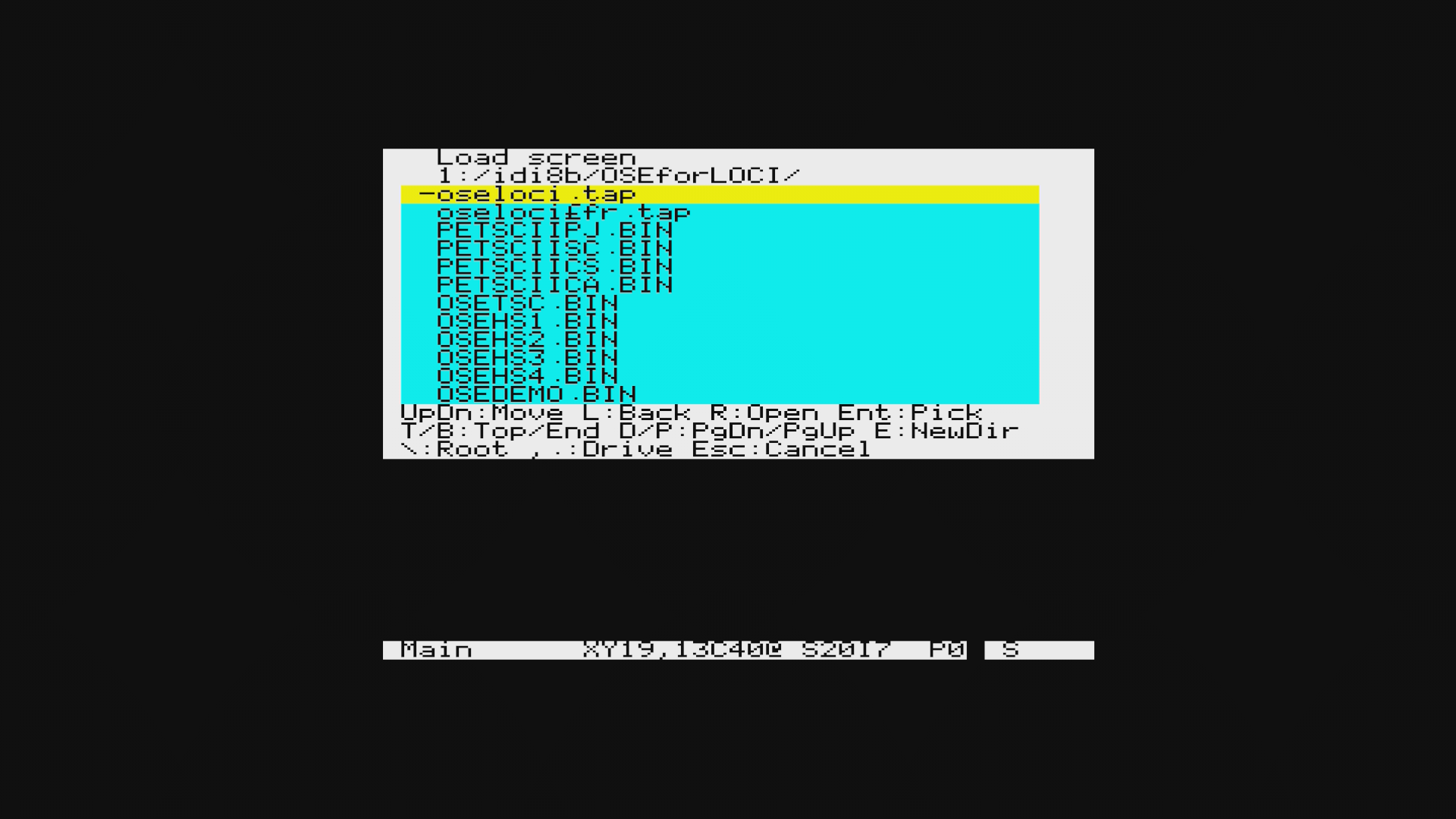
The consequence is that a LOCI device is not optional — the canvas literally cannot exist without it, and the program gates on LOCI presence before entering the editor. All file I/O goes through LOCI as well, with a file picker backed by LOCI's XRAM for directory navigation.
Undo and redo
V1 had no undo. Every destructive edit was permanent until the next save. OSE-LOCI adds a 40-level undo/redo ring backed entirely by the overlay RAM undo region: dirty-rectangle snapshots are written there before every edit, so Z reverts and Y reapplies without touching the canvas region or main RAM at all.
The snapshots are dirty-rectangle only — the bounding box of what changed — so small edits cost little space and the ring degrades gradually as history fills, rather than discarding everything at once. The one deliberate exception is a canvas-wide Clear or Fill on a canvas too large for 6 KiB: that operation is non-undoable by design, and the editor says so at the time.
Larger canvases, same editor
With the canvas in overlay RAM, the size ceiling rises to 10,240 bytes — any width × height combination that fits, from 1×1 upward. Canvases wider or taller than the 40×28 screen work through an auto-scrolling viewport: the cursor moves normally, and when it reaches an edge with more canvas beyond it, the viewport shifts rather than stopping. Canvases smaller than the screen also work, with the editor tracking the actual extent at every point that matters.
Width and height can be changed at any time from the Screen menu. Shrinking below current content prompts for confirmation; growing is immediate.
New editing features
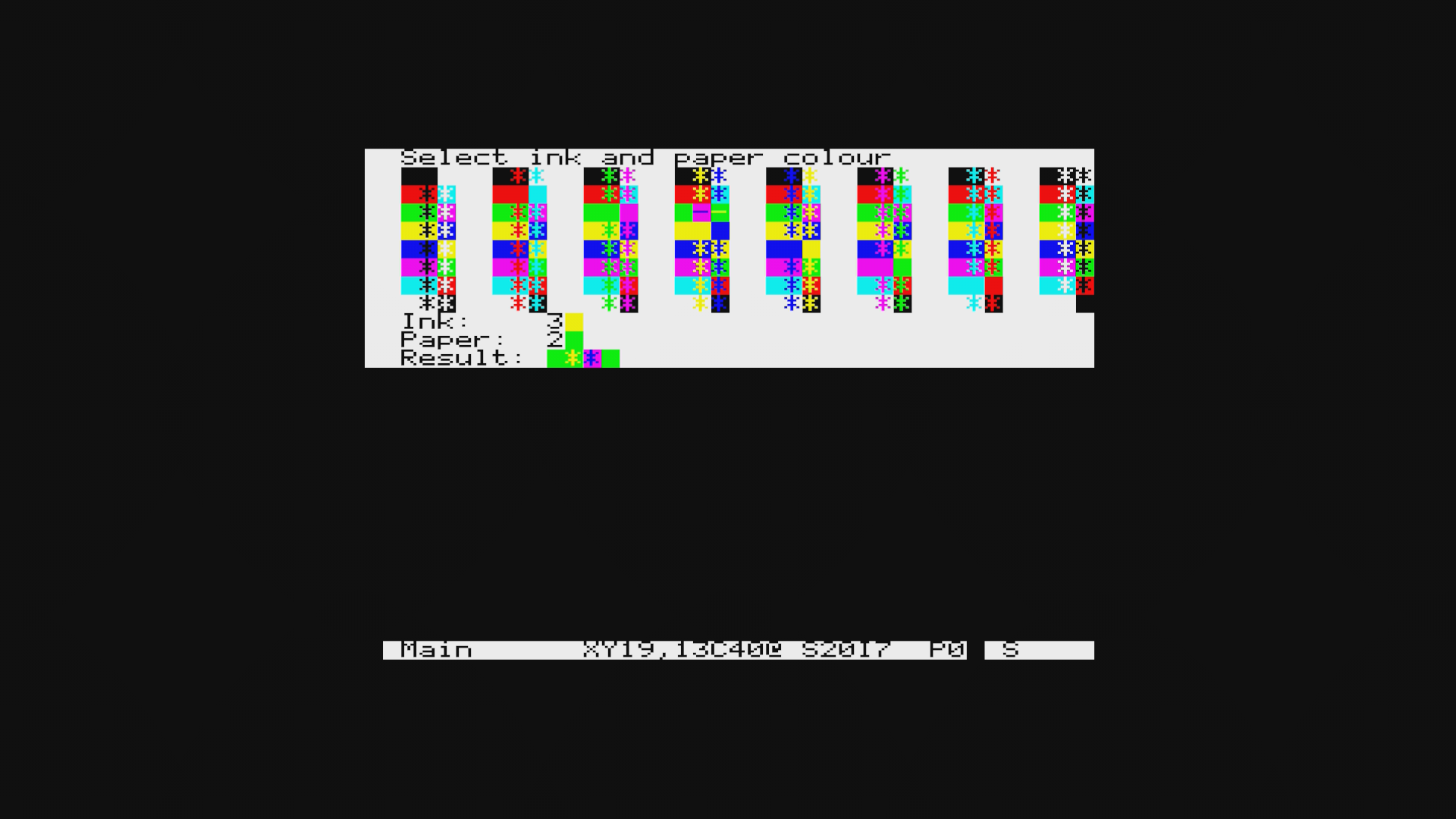
The colour picker is entirely new. V1 had no visual ink/paper selection — you cycled through the eight available colours one step at a time with key presses. OSE-LOCI replaces that with a full 8×8 popup grid showing all 64 ink/paper combinations simultaneously, each cell displaying a normal and an inverted swatch. Pressing C opens it; cursor keys navigate; ENTER or SPACE confirms.
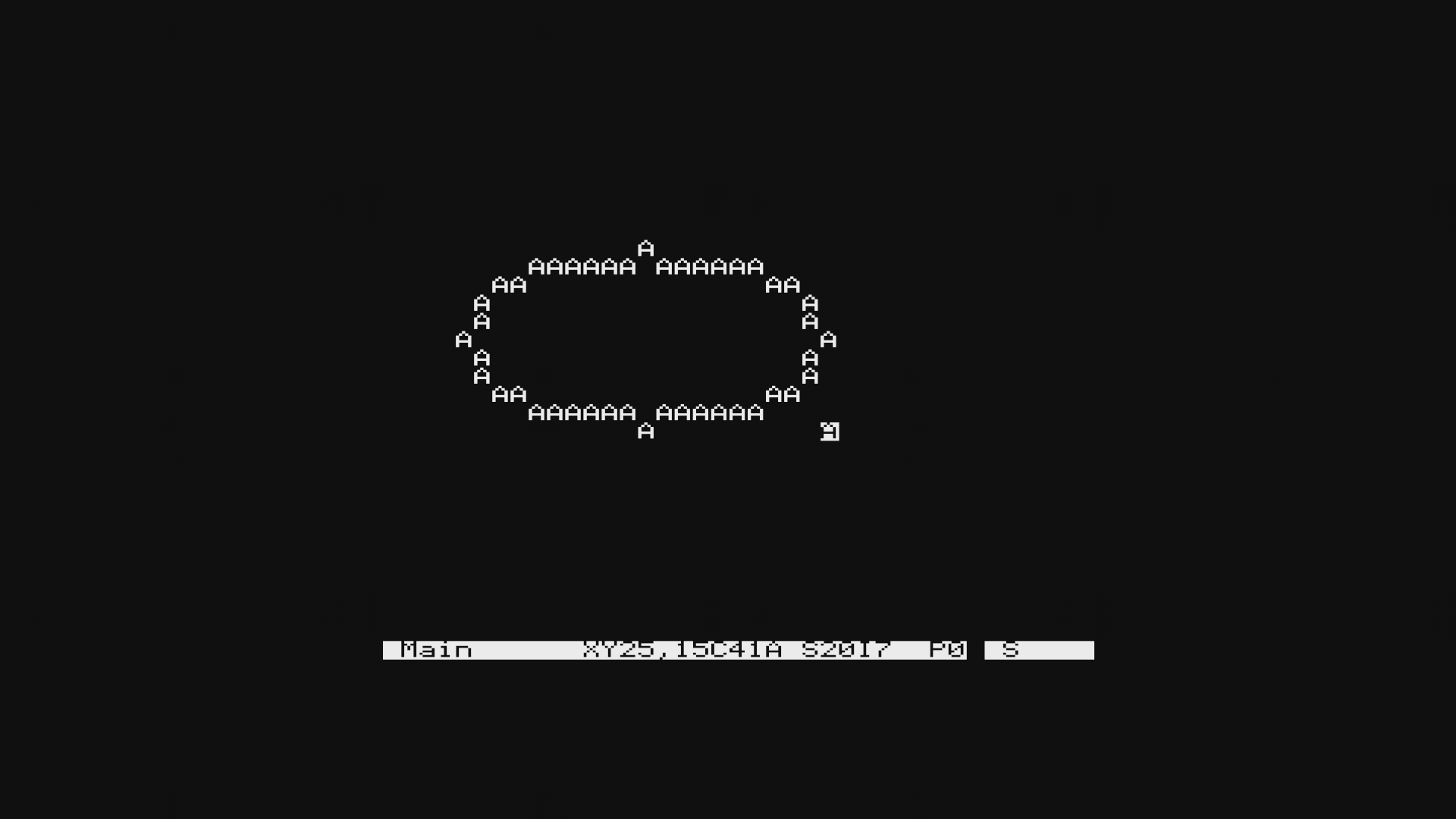
Line and box mode gains two new shape options. V1 drew only solid filled boxes and lines. OSE-LOCI adds a hollow toggle (O) and an ellipse toggle (C) in the shape-confirm step after the bounding rectangle is set, giving four combinations: filled box, hollow box, filled ellipse, hollow ellipse. The ellipses are computed with integer arithmetic — the build uses -dNOFLOAT, so no floating point is available — using a doubled-coordinate membership test that fits in 32-bit integers for any canvas size the editor supports.
Select mode in V1 supported fill operations: delete, ink fill, paper fill, modifier attribute fill. OSE-LOCI adds cut and copy. After setting the selection rectangle, X or C enters a destination-cursor loop where the user moves a cursor to the paste target; ENTER confirms and the content is placed there. A selection that would not fit at the destination is rejected with a message rather than silently clipped. Cut snapshots both the source and destination for undo; reverting a cut therefore takes two Z presses.
Find/Replace (F) operates across screencodes, ink values, or paper values. ENTER with a replacement value rewrites every matching byte on the canvas in one pass (undoable). ESC at the replacement prompt instead finds the next occurrence forward from the cursor, wrapping around, and jumps there without writing anything.
Write mode gains hex-direct attribute entry via FUNCT+4: choose Ink, Paper, or Modifier, then type a single hex digit 0–7, and the attribute byte is plotted at the cursor. V1 required CTRL combinations to cycle attribute values one step at a time.
Character editor and charset management
The character editor (E) remains a narrow sidebar popup that keeps the canvas visible while editing, with live charset RAM writes so every canvas cell using the current glyph updates in real time. Two things are new: the H key opens inline hex editing directly on the row's screen position, letting a byte value be typed as two hex digits rather than toggling pixels one by one; and Z provides a single-level undo back to the glyph's state at the start of the edit session.
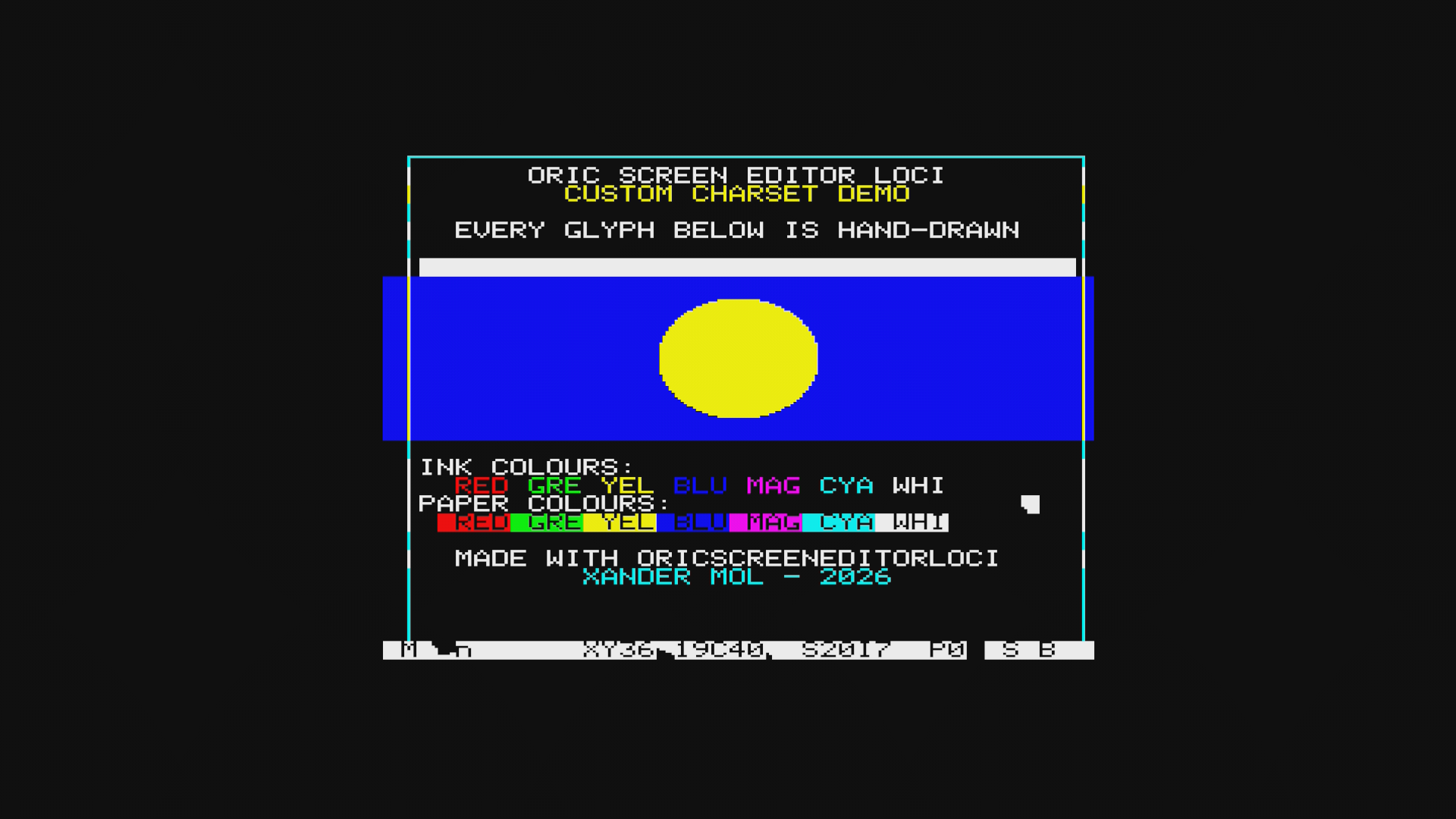
The more significant addition is the charset-swap mechanism. When the user redefines glyphs, the standard charset no longer contains recognisable text — which would make every menu, popup, and dialog illegible. OSE-LOCI solves this by snapshotting both charset banks when the first popup opens, restoring safe ROM-sourced glyphs for the duration of the popup, and putting the user's glyphs back on close. The character editor opts out of this swap (it needs to see and draw the live glyphs), but every other popup opts in automatically. The mechanism is depth-counted, so nested popups share a single pair of backup buffers safely.
The Charset menu adds two reset options: Reset Std→ROM restores the standard charset from the Oric ROM in one step; Reset Alt→Boot restores the alternate (mosaic) charset from a snapshot taken at the very start of main(), before anything could modify it. The Oric ROM generates the alternate charset algorithmically at startup rather than storing a static table, so the boot snapshot is the only reliable source.
IJK joystick and French localisation
The Raxiss IJK joystick interface is detected automatically at startup. When present, the stick and fire button map to cursor movement and ENTER throughout the editor, with the keyboard remaining fully functional alongside. No configuration is needed.
A separate French build (oseloci_fr.tap) provides a full translation of all menus, statusbar mode names, help screens, and the title screen. The Oric ROM charset contains no accented characters, so the French strings use unaccented equivalents throughout. Both builds ship together in the release ZIP.
Oscar64 — same compiler, same runtime
The locifilemanager-v2 post covers the full story of bringing Oscar64 to the Oric: the bare-metal compilation mode, the from-scratch oric_crt.c runtime, and the hardware-access libraries (charwin, keyboard scanner, LOCI API, IJK) that came out of that work. OSE-LOCI shares all of it. The editor is new application code built on top of the same foundation, using the same compiler flags and the same absence of ROM calls.
What OSE-LOCI adds to that foundation is the automated test suite. Phosphoric — the headless Oric emulator with LOCI simulation — runs 200 test cases covering boot, all four menus, canvas editing, file I/O, all editing modes, and edge conditions including the undo ring overflow and the LOCI-absent boot gate. All 200 pass.
Sources and download
- v1.0.0 release — ZIP with English and French builds, all asset files, and PDF manuals
- OricScreenEditorLOCI on GitHub — source, full documentation
- Oric Screen Editor V1 — the original CC65 version (2022)
- LOCI File Manager v2 — the shared Oscar64 runtime and library stack
- LOCI ROM by Sodiumlightbaby
- Oscar64 cross compiler by drmortalwombat
- Phosphoric headless Oric emulator by benedictemarty